Roof pitch: measured or set by hand
Cali-Graf measures the pitch of every roof face from Google’s 3D height data. Check it in the face’s settings and change it only if the measurement looks wrong.
Panels lie flat on the roof, so the pitch of each face sets the tilt of its panels — and with it how much power they make. It also decides whether the face needs a fire pathway.
Where the pitch comes from
When you close a roof face, Cali-Graf measures how steep it is and which way it slopes from Google’s 3D height data for the home. You’ll see Measuring from Google heights… for a moment. The pitch is shown the way roofers say it — rise over 12, like 5/12 — and the arrow on the face points downhill, the way the panels face.
Check the pitch of a face
Select the face
Pick Select (S) and click the face. Its settings open on the right.
Look at Roof pitch
The current pitch is highlighted. The button with a dot is the one closest to Google’s measurement. The note under the buttons tells you how sure the measurement is.
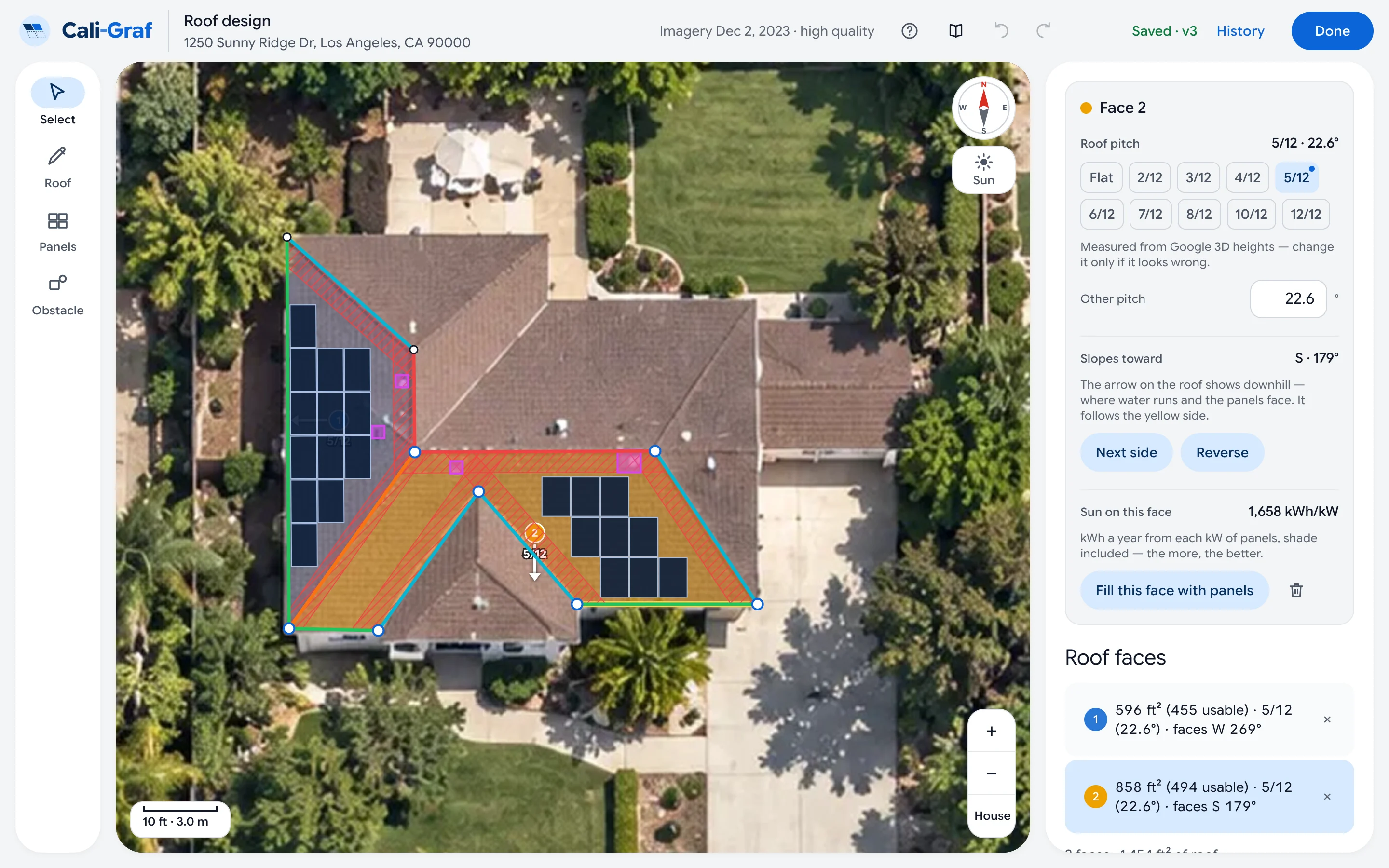
A selected face: pitch buttons, the measured value marked with a dot, and the note below them. Imagery © Google.
| What you see | What to do |
|---|---|
| Measured from Google 3D heights — change it only if it looks wrong. | Nothing to do. This is the normal case. |
| Google heights are uneven on this face — check the pitch and pick it if it looks wrong. | Trees, a chimney or an outline that runs past the roof edge can confuse the measurement. Fix the outline if it’s off, then compare the pitch with what you see; if it’s wrong, pick the right one. |
| Google could not measure this face — pick the pitch. | The face is too small or too narrow to measure. Pick the pitch yourself. |
| Measuring from Google heights… | Wait a second — the measurement is on its way. |
Set the pitch by hand
Pick a pitch
In Roof pitch, press the pitch you want — from Flat to steep roofs in 12ths.
Need a value that isn’t on a button?
Type it in degrees in Other pitch — anything from 0° to 75°.
A pitch you set yourself is marked Set by hand, along with what Google measured. To go back to the measurement, press Back to measured.
Was this helpful?
Thanks — it helps us make this page better.
Updated