California
LADWP solar bill explainedDesign the roof, compare solar and battery savings, and create a branded proposal your customer can understand. Built for residential projects in LADWP and SCE service areas, with utility-specific billing and NEM 3.0 modeling.
Free to use. No credit card required. Sign in with Google to get started.
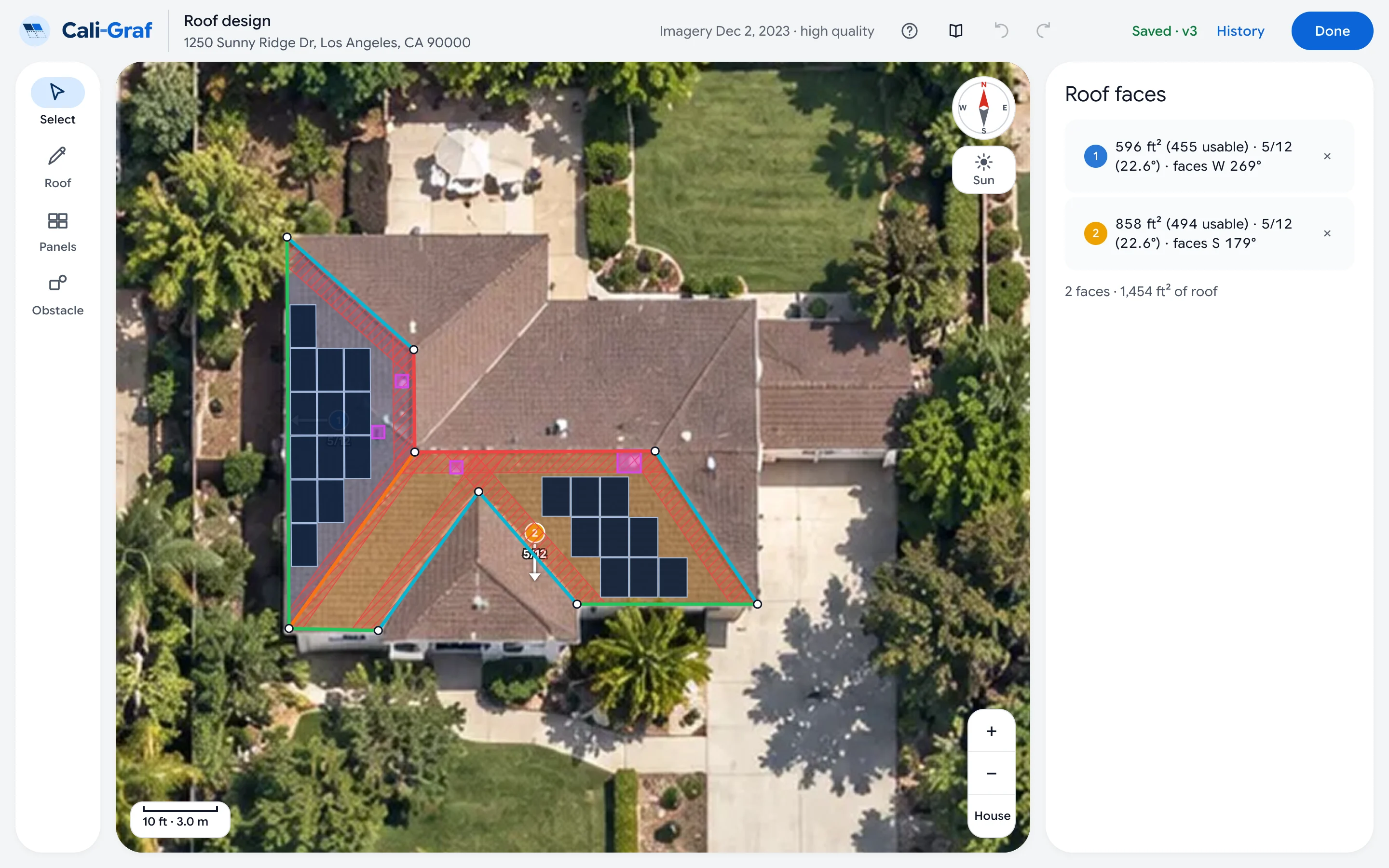
Show the roof layout, projected electricity bills and financial outlook in one branded document. Give customers a clear reference for comparing options and discussing the next step.
A convincing solar proposal starts with how the customer is actually billed. Cali-Graf models LADWP billing periods, tiers and credit rollover, along with SCE time-of-use rates and NEM 3.0 export credits — so you can explain what drives the savings.
Account for billing periods, usage tiers and credit rollover when comparing the customer’s bill before and after solar.
Model time-of-use charges and hourly export credits to show how system design changes the economics.
Compare scenarios with and without storage to explain the battery’s contribution to projected savings.
Keep roof design, energy modeling and proposal creation in one workflow.
Enter the address to view roof imagery and available property data. Confirm the utility and rate details before building your estimate.
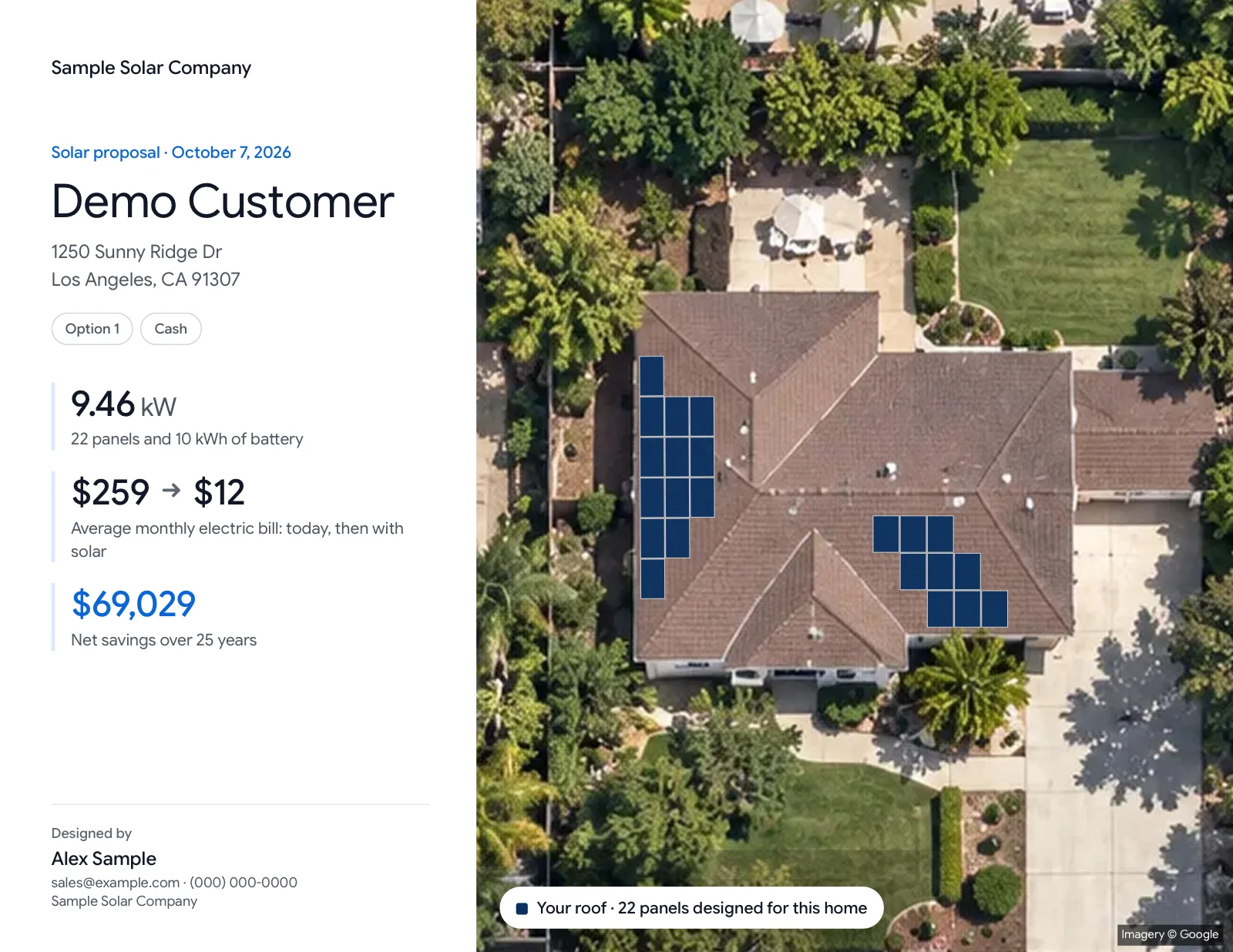
Trace roof faces, place panels and review shade, setbacks and pathways in the same editor.
Add electricity usage, select equipment and compare solar and battery scenarios. Generate a branded PDF with the layout, projected bills and financial summary.
Bring the roof layout, utility calculations and financial outlook into one customer conversation.
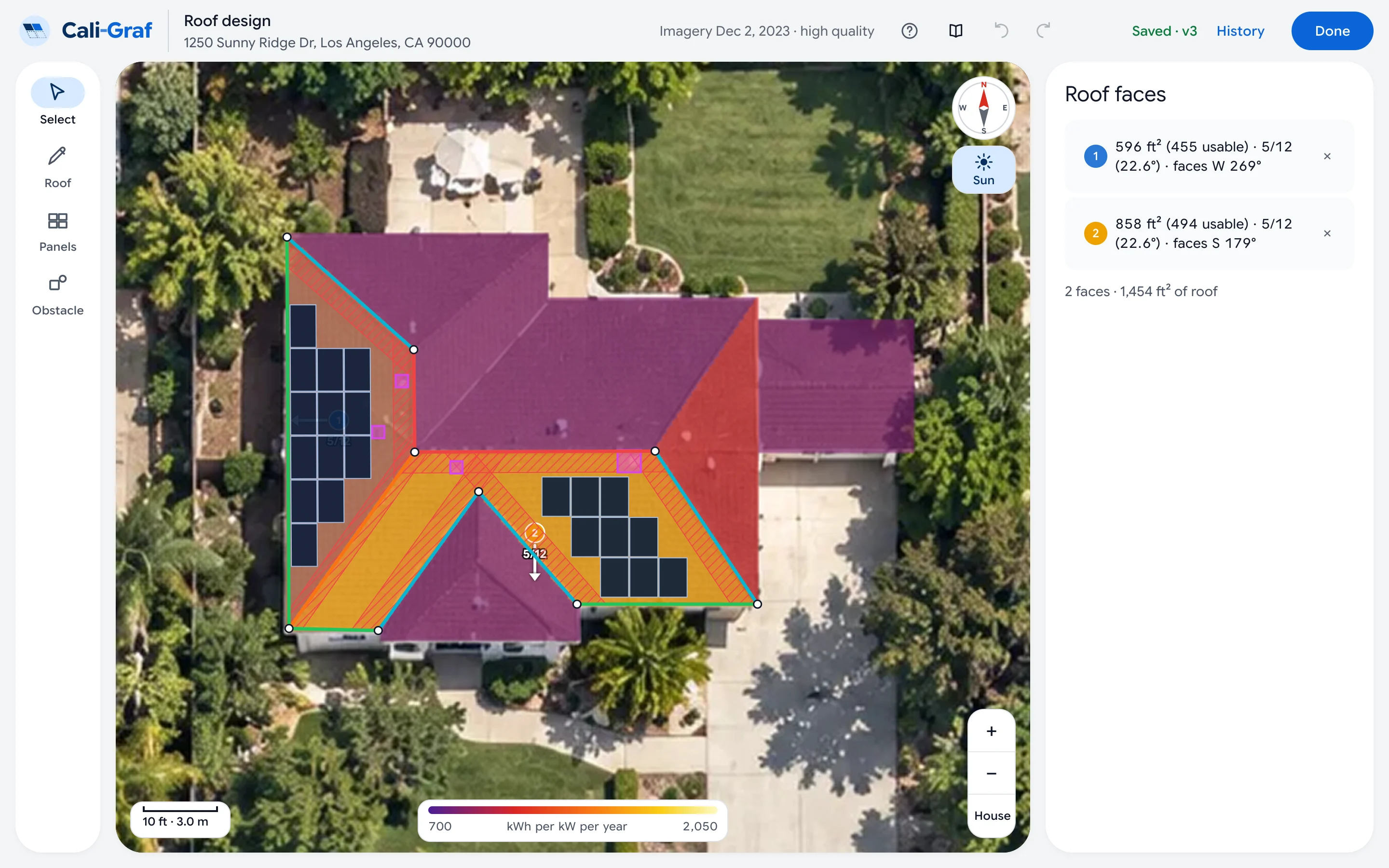
Review panel-level shade estimates using Google Solar’s 3D roof data. Evaluate placement with a clearer view of how roof conditions affect projected production.
Model LADWP billing periods, tiers and credit rollover, or SCE time-of-use charges and NEM 3.0 export credits. Include Clean Power Alliance supply where applicable.
Compare solar-only and solar-plus-storage scenarios with hourly battery modeling. Explain how operating mode, electricity rates and export credits affect projected value.
Display CRC and LAFD setback and pathway guidance directly on the roof. Identify placement warnings during design and confirm final requirements with the local permitting authority.
Compare projected bills, payback and cost per kWh across a 25-year forecast. Account for panel degradation and rate assumptions when presenting the financial outlook.
Create a professional PDF with the roof layout, projected savings, payment schedule and disclosures — featuring your company name and contractor license.
Access projects in your browser on a computer, tablet or phone. Changes save automatically, so you can continue from the office to the customer’s home.
Cali-Graf is developed by Cali Energy, a Los Angeles solar and roofing contractor. The workflow brings together the tasks behind a residential proposal: roof design, utility modeling, equipment selection and customer presentation.
Cali Energy · CSLB #1032379 · Classifications B, C-10 and C-39
Use the roof editor, billing calculations and branded PDF proposals without a subscription or credit card. Daily usage limits apply.
Your customer relationships stay yours. Your projects are private to your account. Cali-Graf does not contact your customers or sell your project data. Who sees your calculations.
Equipment in the app comes from the California Energy Commission lists that power the Cali-Graf equipment directory — the same specs, datasheets and real Southern California installs.
Step-by-step guides for every part of the app — from the first calculation to the customer PDF.
Yes. Roof design, billing calculations and branded PDF proposals are available without a subscription or credit card. Daily limits apply to new properties, calculations and PDF generation — view the current limits.
Cali-Graf supports residential projects in LADWP and SCE service areas, including applicable Clean Power Alliance supply. Other utilities are not currently supported.
Yes. For supported SCE projects, you can compare solar-only and solar-plus-battery scenarios using hourly modeling and NEM 3.0 export credits. Results depend on the selected equipment, operating mode, usage and rate assumptions.
Cali-Graf’s billing engine has been tested against actual LADWP and SCE customer bills. View the validation results and methodology for the tested cases. Future bill and savings estimates also depend on usage, production and rate assumptions.
Roof imagery and available 3D and shade data come from Google Solar. Weather inputs use the National Solar Radiation Database, and equipment references use California Energy Commission listings. Data availability varies by property — see Data sources.
Yes. Generated PDFs include your company information and contractor license alongside the roof layout, financial summary, payment schedule and disclosures.
No. Cali-Graf supports preliminary design, financial modeling and customer proposals. It does not generate permit plan sets. Final designs and code requirements must be reviewed for the project.
Cali-Graf currently focuses on residential rooftop projects in supported LADWP and SCE service areas. Commercial and multifamily projects, ground mounts and homes with existing solar are outside the current scope — see the full coverage and limitations guide.
No. Cali-Graf runs in your browser on a computer, tablet or phone. Project changes save automatically to your account.